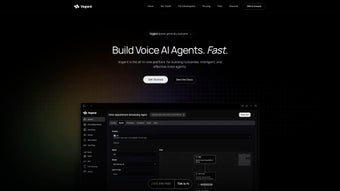

Vogent'i İndir – Gelişmiş AI Ses Ajanı Platformu, Ücretsiz ve Güvenli Araç
Genel Bakış
Vogent, işletmeleri, geliştiricileri ve iletişim merkezi yöneticilerini gerçek insanlar gibi sesli ve davranışsal konuşma ajanları oluşturup test etmeye ve devreye almaya güç veren, kesintisiz web tabanlı bir AI ses ajanı platformudur. Güçlü bir konuşma tanıma, ses etkinliği algılama ve doğal dil anlama motorları süitine dayanarak inşa edilen Vogent, geleneksel kodlama engelini ortadan kaldırır ve sezgisel bir Flow Builder ile değiştirir. Platform, etkileşimli ses yanıt (IVR) senaryolarını yönetebilir, güven puanı düştüğünde çağrıları canlı ajanlara sorunsuzca devredebilir ve çağrı sonrası analizler için tam çağrı transkriptleri oluşturur. Ayrıca, Vogent’in çağrı sonrası otomasyonu, CRM güncellemeleri, bilet oluşturma veya e‑posta takibi gibi akıllı iş akışlarını doğrudan çağrı sonucundan tetiklemenizi sağlar. İster gelen satışlar için basit bir SSS botu, ister karmaşık çok adımlı destek ajanı ihtiyacınız olsun, Vogent, Windows, macOS, Linux, Android ve iOS tarayıcılarında çalışan güvenli, ölçeklenebilir ve ücretsiz bir başlangıç çözümü sunar.
Vogent'i Farklı Kılan Temel Özellikler
- Drag‑and‑Drop Flow Builder: Tek bir satır kod yazmadan sesli konuşmaları görsel olarak tasarlayın. Koşullu dallar, döngüler ve API çağrıları tek bir tıklama ile eklenir.
- Interactive Voice Response (IVR) Engine: Tamamen eller serbest bir deneyim için çok seviyeli menüler, DTMF girişi ve konuşma tabanlı gezinme desteği.
- Voice Activity Detection (VAD): Konuşma duraklamaları, arka plan gürültüsü ve sessizliklerin gerçek zamanlı algılanması, ajan yanıt süresini iyileştirir ve yanlış tetiklemeleri azaltır.
- Custom Voice Creation: Kendi ses örneklerinizi yükleyin veya marka tonunuza uygun önceden eğitilmiş sinirsel seslerden birini seçin.
- Hybrid Human‑Agent Handoff: Gelişmiş güven puanı skoru, AI belirsiz olduğunda çağrıyı otomatik olarak canlı operatöre aktarır.
- Comprehensive Call History & Transcripts: Her etkileşimi anahtar kelime, tarih veya sonuç bazında aranabilir şekilde saklayarak veri odaklı iyileştirmeler sağlar.
- Post‑Call Automation & Smart Integrations: Webhook tetikleme, CRM kayıt güncelleme, e‑posta kampanyası başlatma veya RPA botlarını çağrı sonuçlarına göre çalıştırma.
- Multi‑Channel Support: Öncelikli olarak bir ses platformu olmasına rağmen, API üzerinden SMS, sohbet ve sosyal medya kanallarına genişletilebilir.
- Security & Compliance: Uçtan uca şifreleme, GDPR‑uyumlu veri işleme ve rol‑bazlı erişim kontrolü ile hassas konuşmalar korunur.
- Continuous Model Updates: AI motoru, yeni dil verileriyle aylık olarak yenilenir; bu da doğruluğu artırır ve lehçe kapsamını genişletir.
Bu özellikler, Vogent'i yalnızca bir ses bot oluşturucusu değil, tam donanımlı bir konuşma orkestrasyon merkezi haline getirir. Platformun modüler mimarisi, temel bir IVR ile başlayıp daha sonra gelişmiş analiz, duygu algılama veya ses biyometrisi gibi katmanları yeni bir sisteme geçiş yapmadan eklemenize olanak tanır. Her şey bulutta barındırıldığı için güncellemeler otomatik olarak uygulanır ve yerinde donanım ya da karmaşık lisanslama ihtiyacı ortadan kalkar.
Kurulum, Ayar ve İlk Kullanım
Vogent ile başlamak kasıtlı olarak sorunsuz tasarlanmıştır. Bir web uygulaması olduğu için geleneksel bir “indir” (installer) yoktur—sadece resmi portala gidin, ücretsiz bir hesap oluşturun ve hemen inşa etmeye başlayın. Aşağıda, yeni bir kullanıcıyı hesap oluşturma aşamasından canlı bir ses ajanı yayınlamaya kadar tüm süreci adım adım anlatan bir kılavuz bulunmaktadır.
1. Hesap Kaydı & Doğrulama
Visit vogent.com and click “Sign Up”. Provide a valid email address, choose a strong password, and accept the terms of service. An automated verification email is sent; click the link to activate your account. For enterprises, you can enable SSO via SAML or OAuth to integrate with existing identity providers.
2. Çalışma Alanı Oluşturma
After logging in, you’ll land on the Dashboard. Click “Create New Workspace” and name it after your project (e.g., “Customer Support Bot”). Workspaces act as containers for flows, voice models, and analytics, allowing you to segregate environments for testing and production.
3. İlk Flow’unuzu Oluşturma
Open the Flow Builder, where the canvas displays a start node. Drag a “Prompt” block, type the greeting (“Welcome to Acme Corp, how may I help you today?”), and attach a “Speech Capture” block to collect the caller’s response. Use the built‑in intent recognizer to map common phrases like “billing” or “technical support” to separate branches. Add a “Human Handoff” node where confidence falls below 70 % – Vogent will automatically route the call to a live agent.
4. Ajanı Test Etme
Vogent offers a built‑in simulator that lets you speak into your microphone or upload an audio file. The simulator shows real‑time transcription, confidence scores, and branch navigation, helping you fine‑tune prompts and intents before going live.
5. Yayınlama & Entegrasyon
When satisfied, click “Deploy”. Vogent generates a unique SIP/REST endpoint that you can connect to any telephony provider (Twilio, Nexmo, or on‑prem PBX). For cloud‑only deployments, simply use the provided “Web Call” button to start a browser‑based call.
6. Çağrı Sonrası Otomasyon Ayarı
Navigate to the “Automation” tab, create a new rule, and select the trigger “Call Ended – Outcome: Resolved”. Choose an action such as “Create Zendesk Ticket” or “Send Follow‑up Email via SendGrid”. These actions are executed automatically, reducing manual follow‑up work.
Overall, the entire onboarding process can be completed in under 30 minutes, making Vogent an attractive choice for teams that need rapid time‑to‑value without sacrificing depth of functionality.
Uyumluluk, Sistem Gereksinimleri ve Artılar & Eksiler
Vogent runs on any modern web browser (Chrome, Edge, Firefox, Safari) and therefore supports Windows 10/11, macOS Ventura and later, Linux distributions, as well as Android 9+ and iOS 13+. Because the heavy lifting—speech recognition, language modeling, and analytics—is performed on Vogent’s cloud servers, local hardware requirements are minimal: a stable internet connection (minimum 3 Mbps upstream/downstream) and a microphone for voice testing.
Artılar
- Zero‑code flow builder dramatically reduces development time.
- Robust VAD and confidence‑based handoff improve caller experience.
- Full call transcript storage enables powerful analytics and compliance.
- Extensive integrations (CRM, ticketing, email) automate post‑call workflows.
- Free tier available with generous usage limits; premium plans scale predictably.
- Cloud‑native architecture ensures automatic updates and high availability.
Eksiler
- Advanced custom voice training requires additional paid credits.
- No on‑premise deployment option for highly regulated industries.
- Learning curve for non‑technical users when configuring complex API calls.
- Real‑time analytics dashboard can feel cluttered without proper filtering.
Despite the few drawbacks, most users find that Vogent’s benefits outweigh the limitations, especially when compared to legacy IVR systems that demand extensive programming and hardware maintenance.
Frequently Asked Questions
Is Vogent really free to use?
Vogent offers a free tier that includes up to 2,000 minutes of voice interaction per month, unlimited flows, and basic integrations. Larger enterprises can upgrade to paid plans for higher volume, premium voice models, and dedicated support.
Can I integrate Vogent with my existing telephony provider?
Yes. Vogent provides SIP, REST, and WebSocket endpoints that can be linked to any SIP‑compatible provider such as Twilio, Nexmo, or on‑premise PBX systems. Detailed API documentation guides you through the connection process.
How secure is the data stored in Vogent?
All communications are encrypted with TLS 1.3, and call recordings are stored in encrypted buckets. Vogent complies with GDPR, CCPA, and ISO 27001 standards, and offers role‑based access controls for team members.
Do I need any special hardware to run Vogent?
No special hardware is required. A modern web browser, a stable internet connection, and a microphone (for testing) are sufficient. All AI processing occurs on Vogent’s cloud infrastructure.
What kind of support is available for new users?
Free‑tier users have access to a community forum, extensive documentation, and email support with a 48‑hour response SLA. Paid plans include priority chat support, dedicated account managers, and optional on‑boarding workshops.
Conclusion & Call to Action
Vogent stands out as a powerful, cloud‑native AI voice agent platform that bridges the gap between sophisticated conversational AI and user‑friendly design. Its drag‑and‑drop Flow Builder, intelligent VAD, and seamless human‑agent handoff make it suitable for everything from simple FAQ bots to complex multi‑step support systems. With a generous free tier, robust security, and native integrations for post‑call automation, Vogent offers a compelling value proposition for startups, mid‑size businesses, and large enterprises alike. If you’re looking to modernize your contact‑center operations, reduce manual follow‑up, and deliver a natural, human‑like voice experience, now is the perfect time to sign up for a free Vogent account and start building your first voice agent today.
Vogent delivers an impressive blend of ease‑of‑use and advanced AI capabilities. The free tier is generous, the UI is clean, and the post‑call automation features set it apart from many competitors.



.png)



